
Local SEO · Google Business Profile · Tradies
Google Posts for Tradies: Worth Ten Minutes a Week?
Executive Summary
Key takeaways: what you'll get from this guide
- The three post types Google still offers, and which one a tradie should default to
- How long a post stays visible (not seven days), and what that means for cadence
- What to write after a job, with a call-to-action that actually fits a trade
- What gets a post rejected, including phone numbers in the description
- The honest ranking verdict: Posts help someone already looking at you decide, they do not move the map pack
Google Posts are the updates on your Business Profile: a photo, a short message, and sometimes a button. They show under Updates or Overview on the phone, and under "From the owner" on a computer 1.
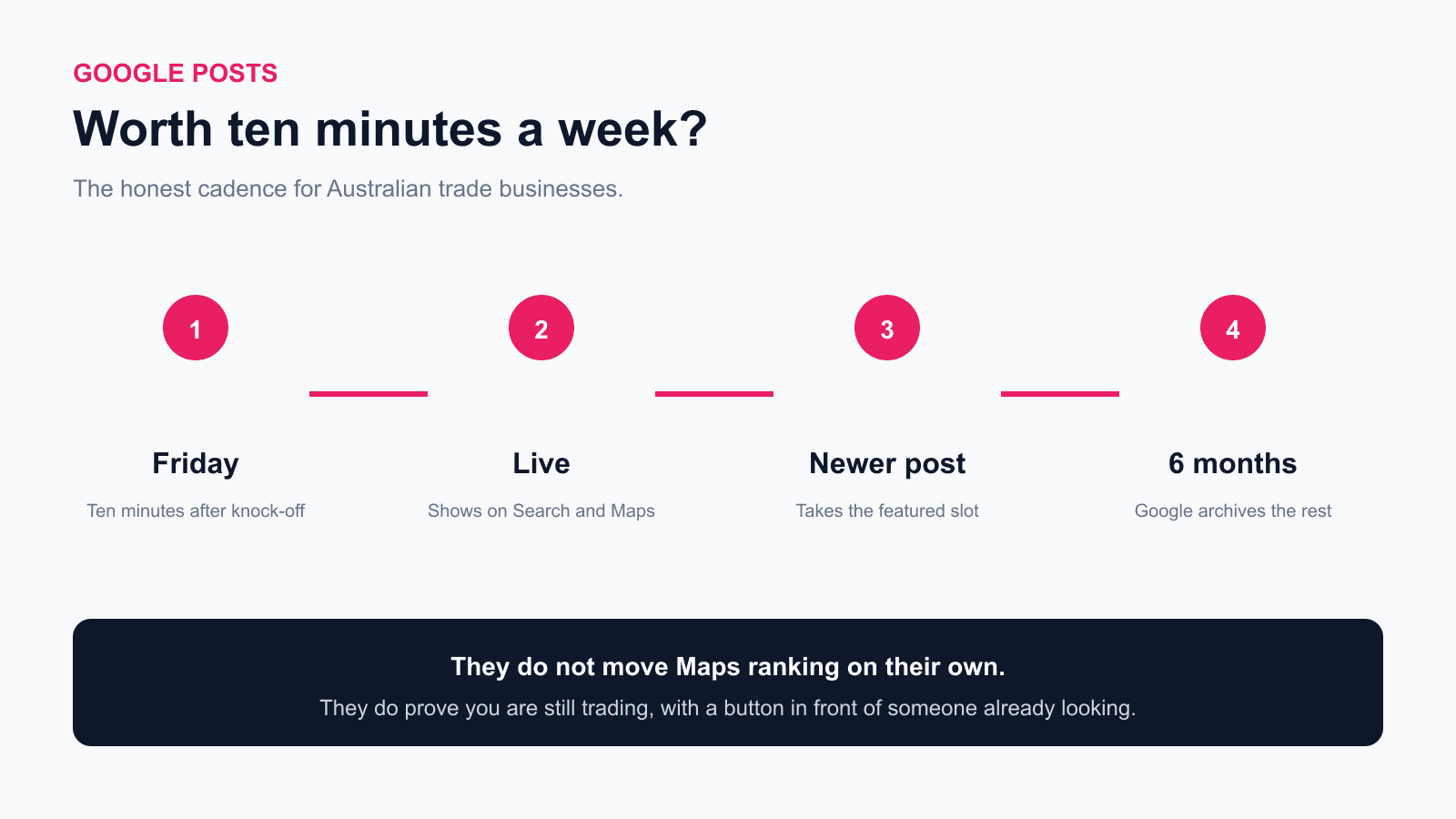
They are not a ranking hack. Google's own help says they help customers decide to visit. That is a conversion job, not a Maps-pack job. Ten minutes on a Friday is a fair price for looking like you are still trading. Daily posting is not.
If you still need the listing itself filled in, start with the Google Business Profile guide. This post is only about Posts.
What Types of Google Post Can a Tradie Use?
Google currently offers three types 1:
| Type | What Google wants it for | What a tradie should use it for |
|---|---|---|
| Update | News, a photo, a button to a page where the customer can finish an action | Default. Job spotlight, seasonal reminder, "we now do X in Y suburb". |
| Offer | A real sale with dates. Google adds a View Offer button | Only if the deal is real and dated. Free call-out this month. Not a fake "10% off" you never honour. |
| Event | Something with a start and end | Rare for a trade. An open day at a showroom, maybe. Not "available this week". |
There is also a featured posts block that can pull from Facebook or Instagram. Google's help limits that to food and drink businesses, in English, in the US, UK, Canada, Australia and New Zealand 1. If you are a plumber, that block is not for you. Do not wait for your Instagram to appear on Maps.
Default to Update. Add a photo of the real job. Point the button at a page where someone can book or read the service, not at a Facebook page.
Action: Open Posts on your listing. If the last one is from last year, you already have this week's job.
How Long Does a Google Post Stay Up?
Older blogs, including an earlier version of our own GBP guide, said standard posts expire after seven days. That was true of an older product. Google's current help is different: posts older than 6 months are archived unless a date range is set 1.
What that means in practice:
- A post can sit on the profile for months, not a week
- Newer posts still take the top of the stack, so last year's update is not what a customer sees first
- Offers and events need dates. If you skip times on an event, Google treats it as lasting 24 hours on those dates
- You can schedule a post, and you can set it to repeat weekly or monthly 1
Cadence is still weekly, not because the post vanishes on day eight, but because a listing that last posted in March looks idle in August. One Update every Friday is enough. Recurring "we are still here" filler is worse than silence.
Action: Put Posts on the same Friday reminder as photos and invoices. Five to ten minutes. Not a content calendar.
What Should I Post After a Job?
Write it like a text to the next customer, not like an ad.
Electrician, Update: "Rewired the switchboard at a Mosman terrace this week. Safety switch, labelled circuits, test sheet left on the fridge. If yours hasn't been looked at since the last owners, book a check."
Plumber, Update: "Replaced a failed hot water system in Penrith yesterday. Same footprint, same day, no ceiling cut. Serving the Nepean if you are in the same boat."
Offer, only if true: "Free call-out on blocked drains across the Upper North Shore until 31 August. Quote on the job before we start."
Keep the photo tight on the work. Crop the house number. Same privacy rule as GBP photos: get a yes by SMS before you publish inside someone's home.
Do not write a novel. Do not dump a phone number in the body (see below). Do not post a stock kitchen.
Action: After the after-shot, write two sentences while you are still in the van. Publish it Friday, not from the driveway.
Which Button Should a Tradie Use?
On an Update, Google lets you add an action button that must go to a website where the customer can finish the action: book, order, or learn more 1. On an Offer, Google adds View Offer for you.
For a trade:
- Book to your real booking page, or to a contact form that you actually answer
- Learn more to the service page for that job, not to your homepage
- View Offer only when the offer has dates
Skip buttons that send people to a Facebook page they will bounce from. Skip "Call" as a pasted number in the text. The listing already has your phone number at the top.
Action: Point this week's button at one page. If you do not have a booking page, use Learn more on the service you just did.
What Gets a Google Post Rejected?
Google reviews every post against its posts policy. Status is Live, Pending, or Not approved 1.
The rejection that catches tradies:
- A phone number in the post description. Google says those posts might get rejected. Put extra numbers on the profile itself, not in the post 1.
- Unverified profile. Pending also means the listing is not verified yet.
- Junk copy. Misspellings, extra characters, auto-generated filler.
- Bad links. Malware, phishing, or sites you do not control.
- The wrong industry copy. You can post if you work in a regulated field, but Google does not want the post to be about the regulated product itself 1.
A "not approved" post stays off Search and Maps. The question mark next to the status is supposed to name the rule. Fix that, or delete it and write a cleaner Update.
Action: If a post is pending after a day, check verification first, then read the body for a mobile number you pasted out of habit.
Do Google Posts Help You Rank on Maps?
No, not on the evidence we can cite.
Google explains local ranking as relevance, distance and prominence. Distance is the verified pin. Prominence is things like reviews and links. That page does not list Posts as a ranking input 2. The Posts help page talks about helping customers decide to visit, which is a conversion claim 1.
Agencies that sell "post every day to rank" are selling a habit, not a ranking lever. We have not opened a primary source that shows Posts moving a trade listing up the map pack. Until one exists, treat weekly Posts as profile real estate: proof you are still trading, a photo in front of someone already looking, and a button they can tap.
That is worth ten minutes. It is not worth an hour a day, and it will not fix a listing that is in the wrong category, unverified, or 40 km from the searcher.
Action: Spend the hour you were going to spend on daily Posts on reviews and photos instead. Keep the Friday Update.
So, Is Ten Minutes a Week Worth It?
Yes, if the listing is already claimed and verified. One Update, one real photo, one honest button. Skip it if you are still missing a category, a service list, or any photos at all. Those gaps cost more calls than a quiet Posts tab.
Daily posting is content for content's sake. Recurring auto-posts that say "we are open" teach Google nothing and teach the customer you have nothing to show.
Action: This Friday, publish one Update from last week's job. Then stop.
Want Someone to Review Your Google Profile?
Made 4 Tradies offers a free Google Business Profile audit for Australian trade businesses. We look at Maps visibility, reviews, photos, Posts, and how you compare with local competitors.
- Free Google listing audit: Maps ranking, reviews, photos, competitive benchmarking. PDF in 24 hours.
- Free website audit: mobile speed, conversion, local signals. PDF in 24 hours.
No call required. No pitch. Just a straight read on what is costing you work.
Frequently Asked Questions
Are Google Posts worth it for a tradie?
Yes, at about ten minutes a week, as proof you are still trading and as a button in front of someone already on the listing. They are not worth a daily content habit.
How long do Google Posts last?
Google archives posts older than 6 months unless a date range is set. They do not expire after seven days. Newer posts still show first.
Do Google Posts help you rank on Google Maps?
Google has not published Posts as a map-pack ranking factor. Their Posts help page is about helping customers decide to visit. Do not buy a ranking promise attached to posting.
What type of Google Post should a tradie use?
Update, almost always. Offer only for a real, dated deal. Event only for a real event. Featured social posts are for food and drink, not trades.
Why was my Google Post rejected?
The common tradie miss is a phone number in the description. Unverified listings stay pending. Junk copy and bad links also fail the policy.
Should I post on Google every day?
No. One useful Update a week beats seven empty ones. Recurring filler is worse than posting nothing.
Can I schedule Google Posts?
Yes. Google lets you schedule a publish time and set a weekly, monthly, or custom repeat. Use that for a real Friday habit, not for auto-spam.
Where do customers see Google Posts?
On the phone, under Updates or Overview. On a computer, under "From the owner". Featured event or offer posts can also sit on the mobile profile.
References:
- [1] Google Business Profile Help, Create and manage posts on your Business Profile
- [2] Google Business Profile Help, How Google uses information from your Business Profile
Published by Made 4 Tradies, built by online experts who understand tradies. Serving Sydney, the Central Coast, Newcastle, and the Hunter.
Free Google Listing Audit
See exactly what's costing you visibility on Google.
A real human goes through your Google Business Profile against the checks in this guide. You get a PDF with specific issues, specific fixes, ranked by impact.
No call. No pitch. No obligation. Turnaround within 24 hours.
Get my free Google listing audit →Want your website checked too? Free website audit →